A dehumidifier that repeatedly freezes and then thaws usually has restricted airflow, cold operating conditions, or a refrigeration-system problem. Check the filter, coil airflow, room temperature, setup, and drainage in that order before considering repair or replacement.
A dehumidifier that ices up and then thaws repeatedly is usually not removing moisture normally. The most common causes are a dirty or blocked filter, restricted airflow around the evaporator coil, operation in a room that is too cold, or a sealed-system fault. Unplug the unit before cleaning or inspecting it, and follow the manufacturer’s instructions for access and maintenance.
Why a dehumidifier freezes and thaws
Most compressor-style dehumidifiers pull humid air across a cold evaporator coil. Moisture condenses on that coil and collects in the bucket or drain system. If too little warm, humid air passes over the coil—or if the refrigeration system is not operating correctly—the coil can drop below freezing. Ice then builds up until the unit stops cooling, warms up, and starts the cycle again.
A small amount of frost during cold operation may be normal on some models, especially when an automatic defrost feature is active. Thick ice that repeatedly covers the coil, reduces water collection, or causes the fan to run without effective dehumidification indicates a problem.
1. Clean or replace the air filter
A clogged filter is the first thing to check because it reduces airflow across the cold coil. Dust, pet hair, and construction debris can make the coil freeze even when the compressor and fan are otherwise working.
- Turn the dehumidifier off and unplug it.
- Remove the filter according to the owner’s manual.
- Vacuum loose dust from the filter and intake area.
- Wash the filter only if the manufacturer says it is washable.
- Let a washable filter dry completely before reinstalling it.
- Replace a damaged, permanently clogged, or non-washable filter with the correct type.
Do not operate the unit without its filter unless the manual specifically permits it. A missing filter can allow debris to collect on the coil and fan.
2. Let all ice melt before restarting
Do not chip ice from the coil with a knife, screwdriver, or other sharp object. The coil tubing and fins can be damaged easily, and a refrigerant leak may result.
Unplug the unit and leave it off until the ice has completely melted. This may take several hours. Place towels around the unit if meltwater could reach flooring or electrical equipment. Restarting a heavily iced unit before it has thawed can make diagnosis more difficult and may stress the compressor.
3. Check the intake, outlet, and coil for restricted airflow
Make sure furniture, curtains, storage boxes, and walls are not blocking the air intake or discharge. Leave the clearances specified by the manufacturer; if no clearance is stated, avoid placing the unit tightly against a wall or inside a confined space.
With the unit unplugged, inspect visible grilles and coil surfaces. Carefully vacuum loose dust without bending the fins. Do not spray water or household cleaner into the electrical compartment, fan motor, controls, or sealed refrigeration area.
After the unit is fully thawed and cleaned, check whether the fan moves air strongly when the unit runs. Weak airflow, unusual fan noise, or a fan that does not start points to a fan, control, or motor problem rather than just a dirty filter.
4. Check the room temperature
Many compressor dehumidifiers are intended for warmer indoor spaces. In a cold basement, garage, crawlspace, or unheated room, the evaporator coil can freeze even when the machine is clean. Check the operating-temperature range in the manual; the correct range varies by model.
If the space is below the specified minimum, move the unit to a warmer area or use a dehumidifier designed for low-temperature operation. A low-temperature model may use a different defrost strategy, but it still needs adequate airflow and correct drainage.
Do not use a space heater to warm the dehumidifier or place the unit near an open flame. If heating the room is necessary, use safe, properly installed heating equipment and maintain the clearances required by both appliances.
5. Confirm the setup and humidity control
Check that the unit is standing level on a stable surface and that the humidity setting is not unusually low. A very low setting can make the dehumidifier run for long periods, but it should not by itself cause heavy icing in a suitable room.
If the unit has a continuous-drain hose, confirm that the hose slopes downward and is not kinked or obstructed. A blocked drain usually causes a full bucket or water leak rather than coil icing, but an incorrect setup can interrupt normal operation and make the unit appear unreliable.
Keep doors and windows closed while the dehumidifier operates. Constantly entering humid air can cause long run times, though it normally does not create thick ice unless airflow or temperature is also a problem.
6. Check the bucket, float, and drain system
Empty and reinstall the water bucket firmly. Make sure the bucket is not cracked and that its float or full-bucket switch moves freely. Some units will stop or change operation if the bucket is not seated correctly.
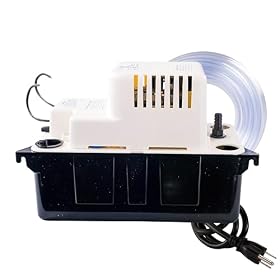
For continuous drainage, inspect the hose connection and outlet. If a condensate pump is installed, verify that its power, inlet, and discharge line are configured according to the pump and dehumidifier instructions. A pump problem does not usually cause icing directly, but it can stop the unit and leave moisture-control problems unresolved.
When a refrigeration fault is likely
If the filter and airflow are clear, the room is within the specified temperature range, and the dehumidifier still forms thick ice after a complete thaw, the sealed refrigeration system may have a fault. Possible causes include a refrigerant leak, a restriction, a failing compressor, or a sensor or defrost-control problem.
These faults generally require specialized equipment and procedures. Do not cut refrigeration lines, add refrigerant, or open the sealed system yourself. Contact the manufacturer, an authorized appliance technician, or a qualified refrigeration professional.
A useful warning sign is a coil that freezes only in one small section while the rest remains relatively warm, especially when airflow is normal. This pattern can indicate a refrigeration problem, although only a technician can confirm the cause.
Should you repair or replace the dehumidifier?
A filter, hose, bucket, or other user-replaceable part is often worth replacing when the unit otherwise runs normally. A replacement filter is the sensible next step when the existing one is damaged or cannot be cleaned properly.
Professional repair may make sense if the dehumidifier is relatively new, has a warranty, or is a larger and more expensive unit. For an older basic unit with a suspected sealed-system or compressor fault, replacement is often more practical than repair. Compare the repair estimate with the cost of a correctly sized new dehumidifier, and verify that any replacement has the operating-temperature range and drainage options needed for the space.
Stop using the unit and unplug it if you notice a burning smell, melted wiring, repeated breaker trips, smoke, damaged insulation, or water reaching electrical controls. Seek qualified service rather than continuing to reset it.