If your dehumidifier runs but the bucket stays empty, check the humidity setting, room temperature, filter, hose, seals, and bucket setup before assuming the compressor has failed.
Dehumidifier not collecting water
If your dehumidifier is running but not collecting water, the most common causes are a humidity setting that is too high, a dirty filter, low room temperature, poor airflow, or an incorrectly installed bucket or drain hose. Work through the checks below in order. Unplug the unit before cleaning or inspecting internal parts, and follow the manufacturer’s instructions for your specific model.
1. Check the humidity setting and operating mode
Set the target humidity lower than the current room humidity. For example, if the room is around 65% relative humidity, set the dehumidifier to 50% or lower so it has a reason to run.
Also check that the unit is not in one of these modes:
Fan-only mode: The fan runs, but the compressor may not remove moisture.
Continuous or laundry mode: This may require a properly installed drain hose.
Auto mode: The unit may stop collecting water after reaching its target humidity.
Timer or sleep mode: These settings can stop operation after a set period.
If possible, compare the reading with a separate hygrometer. Built-in humidity readings can vary by location and calibration.
2. Consider the room temperature
Many compressor-style dehumidifiers collect little or no water in a cold basement, garage, crawl space, or other unheated area. As the temperature drops, the evaporator coil can frost over, reducing moisture removal and airflow.
Check for visible ice behind the filter or on the coil area. If you see frost, turn the unit off and let it thaw completely. Do not chip ice away with a tool. Move the dehumidifier to a warmer space if practical, or use a model designed for low-temperature operation if the area regularly stays cold.
A dehumidifier may also collect less water when the room is already fairly dry. Lower moisture levels mean less condensate for the machine to remove.
Product prices and availability are accurate as of the date/time indicated and are subject to change. Any price and availability information displayed on Amazon.com at the time of purchase will apply to the purchase of this product.
3. Clean or replace the air filter
A clogged filter restricts airflow across the coil. That can cause poor water collection, coil icing, overheating, or repeated shutdowns.
Turn the dehumidifier off and unplug it.
Remove the filter according to the manual.
Vacuum loose dust from a reusable filter.
Wash it only if the manufacturer says it is washable.
Let a washed filter dry completely before reinstalling it.
Replace a damaged or non-washable filter with the specified replacement.
Do not operate the unit without its filter unless the instructions specifically allow it. A filter that looks clean can still be restrictive if it is coated with fine dust or pet hair.
Product prices and availability are accurate as of the date/time indicated and are subject to change. Any price and availability information displayed on Amazon.com at the time of purchase will apply to the purchase of this product.
4. Inspect the air intake and outlet
Leave clearance around the dehumidifier so it can draw and discharge air freely. Furniture, curtains, storage boxes, and walls can block airflow even when the filter is clean.
Remove visible dust from the intake grille and outlet using a soft brush or vacuum attachment. Keep the unit on a level, solid surface. Avoid placing it directly against a wall or in a cramped corner unless the manual permits that setup.
Product prices and availability are accurate as of the date/time indicated and are subject to change. Any price and availability information displayed on Amazon.com at the time of purchase will apply to the purchase of this product.
5. Check the bucket, float, and drain hose
A bucket that is full, misaligned, or incorrectly detected can prevent normal operation. Remove and reinstall the bucket firmly, making sure it is seated squarely. Check that the float inside the bucket is not stuck in the full position.
Confirm the hose is connected to the correct drain port.
Make sure the hose slopes downward for gravity drainage.
Look for kinks, clogs, or a hose end submerged in standing water.
Check that any drain plug or adapter was removed or fitted as required.
Do not route a gravity hose uphill unless the unit is designed to pump water.
A blocked hose may cause water to back up inside the unit or trigger a full-bucket shutoff. Replace a brittle, split, or poorly fitting hose rather than relying on tape as a permanent repair.
6. Look for leaks or incorrect setup
Inspect the bucket, drain connection, and area underneath the appliance for water. A cracked bucket or loose drain fitting can divert water away from the collection container and make it appear that the dehumidifier is not producing condensate.
Check the unit for these setup problems:
It is tilted or unstable.
The bucket is not fully inserted.
A drain hose is installed while the bucket drain configuration is still in place.
The unit is near an open window or door, allowing humid air to enter continuously.
The room is unusually dry because heating, ventilation, or air conditioning is changing the air faster than the unit can remove moisture.
Close obvious sources of humid air and allow the dehumidifier time to operate. A room will not always produce visible water immediately, especially after the initial moisture has been removed.
7. Check for a full bucket or shutoff condition
Some dehumidifiers stop the compressor when the bucket is full, even if the fan continues to run. Empty the bucket, clean its seating area, and reinstall it. If the full-bucket indicator remains on with an empty, properly seated bucket, the float or bucket sensor may be stuck or faulty.
Avoid bypassing a float switch or water-level sensor. These safety components help prevent overflow.
8. Listen for compressor operation
After the unit has been running for several minutes, listen for a change from fan-only operation to compressor operation. A compressor normally produces a deeper hum and may create a small amount of warm air from the outlet.
If the fan runs continuously but there is no sign of compressor operation after the setting, temperature, filter, and bucket checks, unplug the unit and let it rest before trying once more. Do not open the sealed refrigeration system or attempt electrical repairs yourself. Capacitors, wiring, refrigerant circuits, and compressors should be inspected by a qualified technician.
When to replace a part or the dehumidifier
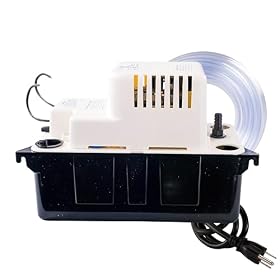
A replacement filter, bucket, float component, or drain hose is reasonable when the part is visibly damaged, clogged beyond cleaning, or no longer fits correctly. A condensate pump may be appropriate when gravity drainage is impossible, but it must be compatible with the dehumidifier and installed according to both manufacturers’ instructions.
Consider professional service or replacement of the unit when:
The coil repeatedly ices over in a suitable-temperature room.
The compressor never starts after basic checks.
The unit trips a breaker, smells burnt, sparks, or has damaged wiring.
Water leaks from inside the cabinet.
The dehumidifier is old, noisy, or requires a sealed-system repair.
Stop using the appliance if it shows electrical damage, overheating, or refrigerant-related damage. For a unit that is not economical to repair, replacing it with one correctly sized for the room and its temperature conditions is usually the practical next step.
FAQ
How long should a dehumidifier run before collecting water?
It may take several hours, depending on room humidity, temperature, room size, and the unit’s capacity. A dry room may produce little visible water. If the bucket remains empty after extended operation in a warm, humid room, check the filter, settings, bucket, hose, and airflow.
Why is my dehumidifier running but the bucket is empty?
Common causes include a high humidity setting, fan-only mode, a dirty filter, low room temperature, blocked airflow, a full or misaligned bucket, or a drain hose sending water elsewhere. If these checks do not help, the compressor or control system may need professional diagnosis.
Can a dehumidifier stop collecting water when the room is cold?
Yes. Compressor dehumidifiers often remove much less moisture in cold spaces, and their coils may frost. Let the unit thaw, keep airflow clear, and check the operating-temperature range in the manual. A low-temperature model may be better for a consistently cold basement or garage.
Should I repair or replace a dehumidifier that is not collecting water?
Replace simple parts such as a damaged filter, bucket, or drain hose when appropriate. Professional service is more suitable for compressor, sealed-system, control-board, or electrical faults. If repair costs are high or the unit has repeated failures, replacement is often more practical.