A rattling dehumidifier is often caused by a loose panel, dirty filter, blocked airflow, ice, or something touching the fan. Follow these checks in order to identify the problem safely.
A dehumidifier making a rattling noise usually has a loose panel, dirty filter, blocked airflow, ice buildup, or an object contacting the fan. Turn the unit off and unplug it before inspecting anything, then work through the checks below from the simplest physical causes to the more serious motor or electrical possibilities.
1. Turn it off and identify the type of rattle
Unplug the dehumidifier and wait for the fan and compressor to stop completely. Note when the sound occurs:
Only when the fan runs: Suspect the filter, fan blade, grille, loose panel, or ice near the coil.
Only when the compressor starts or stops: A vibrating panel, uneven floor, refrigerant tubing, or compressor mount may be involved.
Constantly, even when the unit is off: Look for a loose external part, drain hose, water container, or object underneath the unit.
A scraping or grinding sound: Stop using the dehumidifier until the fan and motor can be inspected.
Do not reach through the grille or operate the unit with its cabinet removed. If you smell burning, see damaged wiring, or notice smoke, disconnect power and arrange for qualified appliance service.
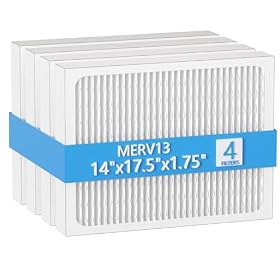
2. Clean or replace the air filter
A clogged filter restricts airflow. Restricted airflow can make the fan work harder and may contribute to frost or ice forming around the evaporator coil. Ice can then rub against the fan or make the cabinet vibrate.
Remove the filter according to the manufacturer's instructions. If it is washable, rinse it and let it dry fully before reinstalling it. Do not run the unit with a wet filter unless the manual specifically allows it. Replace a filter that is torn, warped, or no longer seals properly.
While the filter is out, check for leaves, dust clumps, or other debris near the intake grille. Do not push debris deeper into the cabinet.
Product prices and availability are accurate as of the date/time indicated and are subject to change. Any price and availability information displayed on Amazon.com at the time of purchase will apply to the purchase of this product.
3. Check the hose, drain bucket, and loose objects
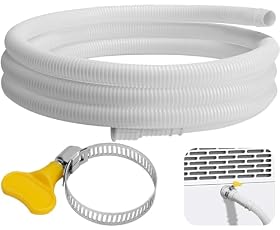
A drain hose can rattle against the cabinet, wall, floor, or a nearby pipe when the compressor or fan vibrates. Check that the hose:
Is firmly connected to the drain outlet
Does not touch a vibrating surface
Is not kinked or crushed
Slopes continuously toward the drain when gravity drainage is used
Remove the water bucket and reinstall it carefully. A bucket that is not seated correctly can vibrate against the cabinet or trigger unusual operating sounds. Also check the floor beneath the unit for coins, screws, or other objects that may be vibrating.
Product prices and availability are accurate as of the date/time indicated and are subject to change. Any price and availability information displayed on Amazon.com at the time of purchase will apply to the purchase of this product.
4. Tighten accessible panels and check the setup
With the unit unplugged, gently press around the cabinet panels, front grille, control panel, and handle. If the sound changes when you press a particular area, that panel may be loose or misaligned.
Only tighten clearly accessible fasteners if the manufacturer's instructions permit it. Do not remove sealed panels or electrical covers just to locate a rattle. A missing screw, cracked grille, or bent panel may require a replacement part rather than improvised repairs.
Make sure the dehumidifier is standing level on a solid surface. Carpet, an uneven floor, or a soft platform can amplify normal vibration. Leave the clearances specified in the manual around the intake and exhaust sides.
Product prices and availability are accurate as of the date/time indicated and are subject to change. Any price and availability information displayed on Amazon.com at the time of purchase will apply to the purchase of this product.
5. Look for frost or ice
After the unit has been unplugged, inspect the visible coil area through the grille. Frost or ice suggests restricted airflow, a room that is too cold for the unit, a failed defrost system, or a refrigeration problem.
Do not chip ice away with a tool and do not use a heat gun. Let the unit thaw naturally with the power disconnected, then clean the filter and confirm that the room temperature is within the operating range listed in the manual. If ice returns, the rattle continues, or water enters the cabinet, stop using the unit and seek service.
6. Check for a fan obstruction or damaged fan
A loose piece of plastic, dirt buildup, or a damaged fan blade can cause a rhythmic rattle or scraping sound. With the unit unplugged, use a flashlight to look through the grille without placing your fingers inside.
If you can safely see that something is touching the fan, follow the manual's cleaning instructions. Do not bend the grille or try to reach deep into the housing. A fan blade that is cracked, out of balance, or rubbing the housing generally needs replacement by a qualified technician or with a manufacturer-approved part.
7. Consider the compressor or motor
If the filter, hose, bucket, panels, setup, and visible airflow path are all correct, the noise may come from a worn fan motor, loose motor mount, compressor vibration, or another internal component. A deep mechanical rattle, grinding noise, repeated clicking, or a noise accompanied by poor moisture removal points more strongly to an internal fault.
Unplug the unit and do not remove sealed refrigeration or electrical components. Dehumidifiers contain electrical parts and, depending on the design, a pressurized refrigeration system. Internal diagnosis should be handled by a qualified appliance technician.
When to replace a part or the dehumidifier
A replacement filter, bucket, grille, or drain hose is reasonable when that part is visibly damaged and the replacement is listed for the exact dehumidifier model. Replace a cracked fan or failed control component only with a compatible manufacturer-approved part, and only if the repair method is appropriate for the unit.
Replacement of the entire dehumidifier may make more sense when the noise comes from the motor or compressor, repair costs approach the cost of a comparable new unit, parts are unavailable, or the unit has additional problems such as repeated icing, leaks, overheating, or poor moisture removal.
Quick troubleshooting summary
Unplug the dehumidifier and identify when the rattle occurs.
Clean or replace the air filter.
Check the bucket, drain hose, and nearby objects.
Place the unit level on a solid surface and check accessible panels.
Inspect for frost or ice and allow it to thaw naturally.
Look through the grille for a fan obstruction without reaching inside.
Stop and seek service if the sound is grinding, electrical, or clearly internal.
FAQ
Can I keep running a dehumidifier that is rattling?
Only briefly for diagnosis if the sound is minor and there are no signs of overheating, burning, scraping, leaking, or electrical damage. Unplug it immediately if the noise is severe or worsening.
Why does my dehumidifier rattle when the compressor turns on?
The startup vibration may be making a loose panel, drain hose, bucket, or uneven surface vibrate. If the noise is deep, repeated, or accompanied by poor dehumidification, the compressor mount or another internal component may need professional service.
Can a dirty filter cause a dehumidifier to rattle?
Yes. A clogged filter restricts airflow, which can increase fan noise and contribute to frost or ice that may contact the fan. Clean or replace the filter according to the manual.
Why is my dehumidifier making a scraping noise?
A scraping noise can indicate ice, debris, a damaged fan blade, or a fan that is rubbing its housing. Unplug the unit and inspect only through the grille. Do not reach inside or chip away ice.
Is it worth repairing a rattling dehumidifier?
A filter, hose, bucket, or loose external panel may be worth correcting. Internal motor, compressor, or refrigeration repairs may be less practical, especially if the unit also leaks, ices up, overheats, or removes little moisture.