A dehumidifier may shut off normally after reaching its humidity setting, but repeated or immediate shutdowns can point to a full bucket, restricted airflow, drainage problem, low temperature, or an electrical fault. Follow these checks in order.
A dehumidifier that keeps shutting off may be operating normally if it has reached the target humidity or needs to cycle off temporarily. If it stops soon after starting, shuts down before removing much moisture, or will not restart, check the bucket, filter, airflow, drainage setup, room temperature, and power supply in that order.
1. Check whether it is cycling normally
Most dehumidifiers stop the compressor when the room reaches the humidity level set on the control panel. The fan may also stop, or it may continue briefly before switching off. This is normal operation.
To check, lower the humidity setting temporarily and wait several minutes. If the unit restarts and runs normally, it may simply have reached the selected setting. Avoid setting the humidity control lower than necessary; a target around the middle of the unit's available range is generally more practical for a home, but follow the manufacturer's guidance for your model.
If the display shows an error code, consult the owner's manual before changing settings or removing covers.
2. Empty and reseat the water bucket
A full bucket or a bucket that is not seated correctly can activate the safety shutoff. This is one of the most common reasons a dehumidifier stops and will not run.
Turn the unit off and unplug it.
Remove and empty the bucket.
Check that the float moves freely and is not stuck by dirt or mineral deposits.
Look for cracks or damage around the bucket.
Slide the bucket fully back into position.
Plug the unit directly into a suitable wall outlet and restart it.
Do not bypass the bucket switch or operate the unit with the bucket removed unless the manufacturer specifically allows that setup.
Product prices and availability are accurate as of the date/time indicated and are subject to change. Any price and availability information displayed on Amazon.com at the time of purchase will apply to the purchase of this product.
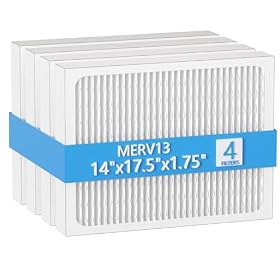
3. Clean the air filter
A clogged filter restricts airflow. The unit can then overheat, collect less water, or shut down to protect the compressor.
Remove the filter according to the manual and clean it as directed. A washable filter should be completely dry before it goes back in. If the filter is damaged, permanently gray, or difficult to clean, replace it with the correct filter for the model.
Do not run the dehumidifier without its filter unless the manufacturer says it is safe to do so. Keep furniture, curtains, and stored items away from the intake and exhaust grilles.
Product prices and availability are accurate as of the date/time indicated and are subject to change. Any price and availability information displayed on Amazon.com at the time of purchase will apply to the purchase of this product.
4. Inspect the hose and drain setup
If the dehumidifier is connected to a hose, an installation problem can cause water to back up or trigger a shutoff.
Check that:
The hose is firmly attached at the drain outlet.
The hose is not kinked, crushed, or blocked.
The drain end is lower than the outlet when gravity drainage is required.
The hose is not pushed into standing water.
The bucket or drain-control setting is configured correctly for hose use.
Some units require the bucket to remain installed even when using continuous drainage. Others need a particular drain adapter or setting. Follow the instructions for the specific model rather than assuming all dehumidifiers drain the same way.
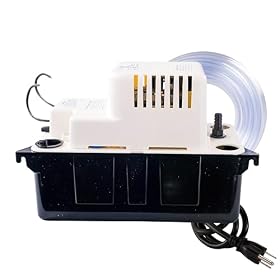
If the hose runs upward or the drain is below the unit's outlet, a condensate pump may be necessary. A pump must be sized and installed according to its instructions.
Product prices and availability are accurate as of the date/time indicated and are subject to change. Any price and availability information displayed on Amazon.com at the time of purchase will apply to the purchase of this product.
5. Look for air leaks and incorrect setup
A dehumidifier may stop frequently when it is placed in the wrong environment or when moist air is entering faster than the unit can remove it.
Use the dehumidifier in an enclosed space with doors and windows closed. Keep it on a level, stable surface with the clearance specified by the manufacturer. Do not place it beside a heater, in direct sunlight, or where its warm exhaust is pulled straight back into the intake.
Also check for obvious moisture sources such as plumbing leaks, wet carpeting, an open basement window, or water entering through walls or floors. A unit may appear to shut off repeatedly when the room humidity quickly rises again.
6. Check the room temperature
Many compressor-style dehumidifiers work poorly in cold spaces. Frost can form on the coils, causing the machine to enter a defrost cycle or shut down until the ice clears. Basements, garages, and crawl spaces are especially likely to have this problem.
Check the operating-temperature range in the manual. If the room is below that range, move the unit to a warmer location when possible or use a dehumidifier designed for low-temperature conditions. Do not chip ice from the coils or use a heat gun to thaw them.
If the room is within the specified range but the coils repeatedly ice over, a blocked filter, poor airflow, failed sensor, or sealed-system problem may be involved.
7. Check the power supply safely
If the unit shuts off when the compressor starts, check whether the outlet, plug, or circuit is the problem.
Plug the dehumidifier directly into a wall outlet; avoid an extension cord or power strip unless the manufacturer permits it.
Check whether the circuit breaker or GFCI outlet has tripped.
Look for a loose plug, scorch marks, melted plastic, or a damaged cord.
Do not use the unit if the cord or plug is damaged.
Do not repeatedly reset a breaker or GFCI that trips when the dehumidifier runs. Unplug the unit and have the electrical problem evaluated by a qualified professional.
8. When the dehumidifier needs service or replacement
If the bucket, filter, drainage, airflow, temperature, and outlet checks do not solve the problem, the likely causes may include a failed humidity sensor, thermal protection issue, control-board fault, compressor problem, or refrigerant-system failure. These are not good do-it-yourself repairs because the cabinet may contain live electrical parts and a sealed refrigeration system.
Service may be worthwhile when the unit is relatively new, has a clear diagnostic code, or uses a replaceable sensor or control identified by the manufacturer. Replacement is usually more practical when the unit is older, repeatedly trips protection devices, leaks internally, makes unusual electrical noises, or requires a major sealed-system repair.
Before buying another unit, compare the replacement's rated capacity, operating-temperature range, bucket size, continuous-drain arrangement, and whether it supports a pump. A model that is too small for the space may run continuously without controlling humidity, while an unsuitable drain setup can recreate the same shutdown problem.
Quick diagnosis
Shuts off after reaching the set humidity: likely normal cycling.
Stops with a full-bucket light: empty and properly reseat the bucket.
Runs briefly, then stops with weak airflow: clean the filter and clear the grilles.
Stops while using a hose: check the hose slope, blockage, adapter, and drain setting.
Ices up in a basement or garage: check room temperature and the low-temperature requirements.
Trips a breaker or GFCI: unplug it and stop using it until the electrical issue is assessed.
Still shuts off after all basic checks: arrange service or replace the unit if repair is not economical.
Why does my dehumidifier shut off after a few minutes?
Check the humidity setting, bucket position, filter, airflow, room temperature, and power supply. It may be cycling normally, or it may be stopping because of restricted airflow, a full or misaligned bucket, coil icing, or an electrical protection fault.
Why does my dehumidifier keep shutting off even when the bucket is empty?
The bucket may not be seated correctly, or its float or safety switch may be stuck. A dirty filter, blocked airflow, drainage problem, low room temperature, humidity-sensor fault, or electrical issue can also cause repeated shutdowns.
Can a dirty filter make a dehumidifier shut off?
Yes. A clogged filter restricts airflow and can cause overheating, coil icing, reduced water collection, or protective shutdown. Clean or replace the filter according to the manufacturer's instructions.
Why does my dehumidifier shut off in a cold basement?
Compressor dehumidifiers can frost up or enter a protective defrost cycle in cold rooms. Check the model's minimum operating temperature and use a unit designed for low-temperature spaces if necessary.
Should I repair or replace a dehumidifier that keeps shutting off?
Basic issues such as a dirty filter, full bucket, blocked hose, or poor setup are usually worth correcting. If the unit still shuts off after those checks, especially if it trips a breaker, has a damaged cord, or needs a sealed-system or control-board repair, professional diagnosis or replacement is safer and may be more economical.