A dehumidifier bucket-full light that stays on usually means the unit believes the water container is full or not installed correctly. Remove and reseat the bucket, inspect the float and drain path, and check for moisture or debris around the bucket sensor. If the light remains on after these checks, the float switch or control sensor may need service or replacement.
Fix the bucket-full light in order
1. Turn the dehumidifier off and unplug it
Disconnect power before removing the bucket or reaching near the float mechanism. If water has spilled near the electrical cord, outlet, or controls, stop using the unit until the area is dry. Follow the manufacturer’s instructions for your specific model.
2. Remove and empty the bucket completely
Even a small amount of water can keep some models from restarting if the bucket is tilted or the float is caught. Empty the container, wipe it dry, and check for:
- Cracks or warping
- A damaged handle or lid
- Debris around the bucket rim
- A loose or missing float
- Water trapped in a molded float chamber
Do not force a bucket into place. A damaged container may not press the sensor or switch correctly.
3. Reseat the bucket firmly
Slide the bucket in slowly and straight. It should sit flush with the cabinet and engage any rear tabs, guides, or bucket switch. Pull it out slightly and reinstall it if the light appears immediately after insertion.
A bucket can look installed while still sitting a fraction of an inch out of position. Check that the front panel or cover closes normally and that nothing is blocking the bucket rails.
4. Check the float mechanism
Many dehumidifiers use a mechanical float or a float-operated switch to detect a full container. With the bucket removed, look for a float near the inside wall or rear of the bucket compartment. It should move freely and return to its normal position.
Clear lint, slime, mineral deposits, or dried residue with a soft cloth. Do not bend the float arm, disable the switch, or tape it down. The float is a safety feature that prevents the unit from overflowing.
If the float is visibly broken, detached, or swollen, the bucket or float assembly may need replacement.
5. Clean or replace the air filter
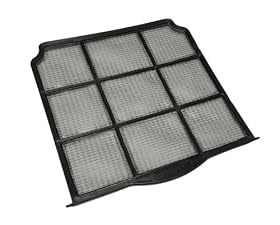
A dirty filter may not directly trigger the bucket-full light, but it can reduce airflow, cause abnormal moisture behavior, and make diagnosis more difficult. Remove the filter according to the manual and clean it only in the manner specified by the manufacturer.
Replace a disposable or damaged filter with the correct type. Do not operate the dehumidifier without its filter unless the instructions specifically allow it.
6. Inspect the hose and drain connection
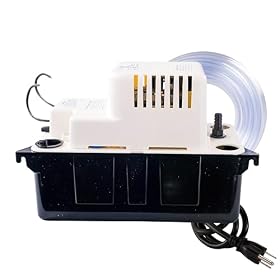
If the unit is set up for continuous drainage, a kinked hose, clogged fitting, or incorrect hose connection can leave water in the wrong place. Check that:
- The hose is connected to the correct drain outlet
- The hose slopes continuously toward the drain
- There are no kinks or crushed sections
- The hose end is not submerged or blocked
- The drain adapter and gasket are installed correctly
Some models will still show a bucket-full condition if the continuous-drain connection is not configured exactly as described in the manual. Remove the hose and reinstall the bucket temporarily to determine whether the drain setup is involved.
7. Look for leaks or water around the sensor area
A leaking bucket, drain fitting, or internal condensate path can leave water near the sensor and cause a false indication. Wipe the bucket compartment and nearby surfaces dry, then look for fresh water after the unit has been running.
Do not open sealed refrigeration components or remove electrical covers to search for a leak. If water continues collecting inside the cabinet, unplug the unit and arrange qualified service.
8. Confirm the operating setup
Place the dehumidifier on a level, stable surface with adequate clearance around its air openings. An unlevel unit can affect the float position or water collection. Also confirm that:
- The bucket is the correct one for the unit
- The room temperature is within the operating range in the manual
- The unit has been allowed to sit upright after transport if required
- No child lock, timer, or pump setting is preventing normal operation
If the unit was recently moved, leave it unplugged for the period specified by the manufacturer before restarting it.
9. Reset the dehumidifier
After the bucket is seated and the compartment is dry, plug the unit directly into a suitable wall outlet and restart it. Some models clear the warning automatically; others require pressing the power button or a reset control after the bucket is reinstalled.
Avoid repeatedly cycling power if the light returns immediately. A persistent warning is more likely to be a sensor, float, wiring, or control-board issue than a temporary software state.